



Technology has become an essential part of everyday life. Whether you are working from home, attending online classes, creating content, managing a business or simply enjoying entertainment, having the right device can make daily tasks faster and more convenient. However, choosing a new laptop, tablet, desktop or accessory can be challenging when there are so many specifications and features to compare.
The best approach is to focus on how you actually use your technology. A student may need a lightweight laptop with long battery life, while a creative professional may prioritise a powerful processor, quality display and strong graphics performance. Lenovo offers a broad portfolio of laptops, desktops, tablets, monitors, accessories and other technology products designed for different users and requirements.
Start by Understanding Your Everyday Technology Needs
Before buying a new device, think about the tasks you perform most often. If your main activities involve browsing, writing documents, attending video meetings and managing spreadsheets, you may not need the highest specifications available. A reliable laptop with a comfortable keyboard, sufficient memory and good battery life could be more suitable.
Students often have different priorities. Portability, battery life and affordability can be important when carrying a laptop between home, college and study spaces. A lightweight device can make everyday commuting easier, while a larger screen may be useful for research, presentations and multitasking.
Lenovo offers laptops across different ranges and form factors, including the ThinkPad, IdeaPad, Yoga, Legion and LOQ families. Each range is designed around different use cases, from professional productivity and everyday computing to creative work and gaming.
For business users, reliability, security and connectivity may be more important than decorative features. For gamers and creators, performance and graphics capabilities can become much higher priorities. Understanding these differences before shopping can help you avoid paying for features you are unlikely to use.
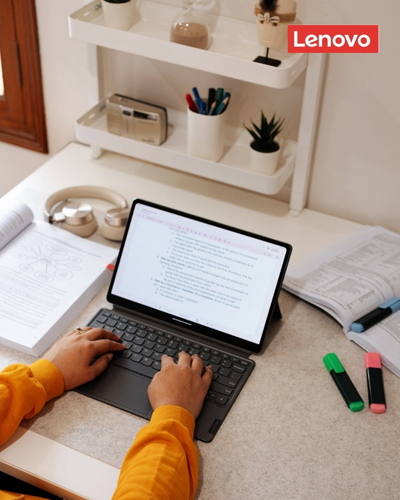
Choose the Right Laptop for Work and Study
Laptops remain one of the most versatile technology investments because they combine portability with the functionality needed for work and education. When choosing one, consider the processor, RAM, storage, screen size, battery life, keyboard and available ports.
For everyday office tasks, a modern processor and enough RAM for multitasking can make a noticeable difference. If you regularly work with large spreadsheets, presentations, multiple browser tabs or demanding applications, choosing a model with additional memory may help maintain smoother performance.
Lenovo offers business-focused ThinkPad laptops alongside everyday IdeaPad models, giving users different options depending on their requirements. ThinkPad devices are positioned for professional productivity, while IdeaPad models cover a wider range of everyday computing needs.
Students should also consider weight and battery life. A powerful laptop is less convenient if it is difficult to carry around campus or requires frequent charging. A compact model with a strong battery can be more useful for people who spend long periods away from a power outlet.
Display quality matters as well. If you spend several hours reading documents or working on projects, a clear screen with a comfortable size can improve the overall experience. Those working with photographs, video or design may need to pay closer attention to colour accuracy and resolution.
Consider Performance for Creative Work and Gaming
Not every user needs a high-performance computer, but demanding tasks require stronger hardware. Video editing, 3D applications, graphic design, software development and modern gaming can place significantly greater demands on a system.
Graphics performance is particularly important for gaming and certain creative workloads. A dedicated graphics processor can provide the power required for demanding applications and games, while additional RAM and faster storage can improve multitasking and loading times.
Lenovo offers gaming-focused products through its Legion and LOQ ranges. These systems are designed for users looking for stronger performance, gaming-oriented features and hardware suitable for demanding workloads.
Creative professionals should also consider screen quality. A high-resolution display can make editing photographs, video and design projects more enjoyable, while a larger screen can provide additional workspace. If portability is equally important, a high-performance laptop can provide a useful balance between power and mobility.
Before purchasing a performance-focused device, check the recommended specifications for the software or games you use. This ensures that your chosen hardware is suitable for your actual requirements rather than relying solely on marketing descriptions.
Upgrade Your Setup with Useful Accessories
A computer is often only one part of a complete technology setup. The right accessories can improve comfort, productivity and organisation, particularly for people who work or study from home.
An external monitor can provide additional screen space for multitasking. A comfortable keyboard and mouse can make long working sessions easier, while a docking station can simplify connectivity when using multiple peripherals.
Lenovo offers a range of monitors, docking stations, keyboards, mice, webcams, headsets and other accessories designed to complement computers and laptops.
For hybrid workers, a docking station can be particularly useful. Instead of repeatedly connecting individual cables, a single connection can simplify access to displays, peripherals and other devices. Similarly, a good webcam and headset can improve video meetings and online classes.
Storage accessories can also be useful for people working with large files. External drives can provide additional space for photographs, videos, projects and backups. However, important files should ideally be backed up using more than one method to reduce the risk of data loss.
The best accessories are those that solve a real problem. Rather than purchasing every available gadget, identify the parts of your current setup that feel inconvenient and choose accessories that directly improve them.
Shop Smart and Look for Lenovo Offers
Technology can represent a significant investment, so comparing prices and promotions before purchasing is worthwhile. Seasonal sales, student offers, clearance events, promotional bundles and limited-time discounts can create opportunities to purchase better specifications within your planned budget.
Lenovo regularly features promotional offers across laptops, desktops, monitors, accessories and other products, while its UK website also provides dedicated sections for deals and savings. Available promotions can change throughout the year, so checking the latest offers before buying can help you find better value.
Students and educators may also be able to access special pricing through Lenovo’s education programme, depending on eligibility and current terms.
When comparing deals, do not focus only on the headline discount. Look at the final price, specifications, warranty, delivery terms and included accessories. A smaller discount on a device with better specifications may offer more value than a larger discount on an entry-level model.
It can also be helpful to set a budget before browsing. Decide how much you are willing to spend and identify the features that matter most. This makes it easier to compare models objectively and reduces the temptation to spend more on unnecessary upgrades.

Build a Technology Setup That Can Grow with You
Choosing technology should not only be about what you need today. It is worth considering how your requirements may change over the next few years. A student may eventually need more powerful software, while a new professional may begin working with larger files or more demanding applications.
Lenovo provides devices across different performance levels and categories, allowing users to build technology setups around their changing requirements. From everyday laptops and professional ThinkPad models to powerful Legion gaming systems, tablets, desktops and accessories, the range covers many different use cases.
Longevity is another important factor. A device with enough performance and storage for future requirements may offer better value than choosing the cheapest option and needing to upgrade sooner. At the same time, there is little benefit in paying for extremely high specifications if your everyday tasks are relatively simple.
Think about connectivity as well. USB ports, HDMI, wireless connectivity and other features can influence how easily a device fits into your existing setup. If you plan to connect an external monitor, storage drive or other peripherals, make sure your chosen computer supports the connections you need.
Ultimately, the right technology is the technology that makes your everyday tasks easier. A laptop should suit your workload, a tablet should fit your mobility needs, and accessories should solve practical problems rather than simply add complexity.
Whether you are buying your first laptop, upgrading a home office, preparing for university, building a gaming setup or improving a professional workspace, thoughtful research can help you make a more confident decision. Lenovo offers a wide range of technology solutions for different lifestyles and budgets, making it possible to create a setup that balances performance, convenience and long-term value.
By identifying your needs, comparing specifications, considering useful accessories and checking current promotions, you can make your technology investment work harder for you. The goal is not simply to own the newest device, but to choose equipment that supports your work, study, creativity and everyday life for years to come.