



Work From Anywhere Without Ignoring Online Security
Remote work has changed where people can complete their professional responsibilities. A laptop and an internet connection can be enough to attend meetings, communicate with colleagues, access cloud platforms, and complete important assignments. This flexibility allows professionals to work from home, coworking spaces, hotels, cafés, and while travelling.
However, working outside a familiar office environment also introduces new considerations. People may connect to unfamiliar networks, use shared computers or devices, or access important business accounts from locations where they have less control over the internet connection.
A VPN can add another layer of protection by encrypting internet traffic between the device and the VPN server. Surfshark provides VPN services designed for multiple devices and includes features intended to support privacy and connection security.
This can be useful for remote professionals who regularly move between different networks. Instead of treating online security as something relevant only to a corporate office, users can make it part of their everyday remote-working routine.
A VPN does not replace other security measures such as strong passwords, multifactor authentication, software updates, and careful handling of company information. Instead, it can complement those practices.
Protect Your Connection on Unfamiliar Networks
Remote professionals often connect to Wi-Fi networks outside their homes. Hotels, airports, cafés, coworking spaces, and other public locations may offer convenient internet access, but users should avoid assuming that every network provides the same level of security.
A VPN can encrypt internet traffic, helping protect information while it travels between a device and the VPN server. Surfshark’s VPN is designed to provide this encrypted connection across supported devices.
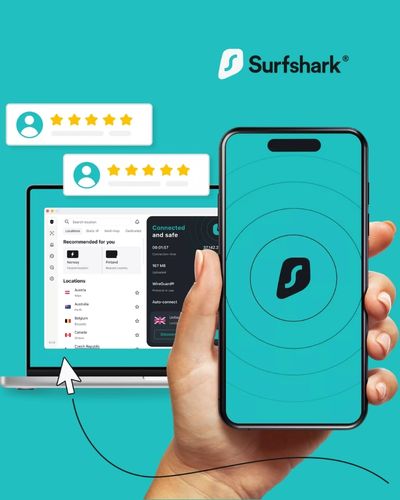
Its Auto-connect feature can also make the process more convenient by automatically connecting the VPN under supported conditions. This can be particularly helpful for people who frequently switch between networks during the day.
For example, a professional might begin the morning working from a hotel, move to a café for a meeting, and later connect through an airport network. Remembering to manually activate privacy tools every time can become inconvenient. Automatic connection features can reduce that extra step.
Users should still verify the network they are joining and avoid entering sensitive information into suspicious websites. A VPN is one security layer, not a guarantee that every online activity is safe.
Add Protection When Handling Work Accounts
Remote workers may access email, project management platforms, cloud storage, customer databases, and business communication tools from their personal devices. Some of these accounts may contain confidential information, making basic security practices especially important.
Using a VPN can provide an encrypted connection while accessing online services. Surfshark also offers a Kill Switch feature that can block internet access if the VPN connection unexpectedly drops, depending on the device and configuration.
This can help prevent traffic from continuing over an unprotected connection after a VPN interruption. Users should check their individual device settings to understand how the feature operates before relying on it.
Other security measures remain essential. Work accounts should use strong, unique passwords and multifactor authentication whenever available. Devices should also have screen locks enabled, and sensitive company files should not be downloaded unnecessarily onto shared or unsecured computers.
Businesses may have their own VPN or security requirements as well. Employees should follow their employer’s policies rather than assuming that a personal VPN replaces corporate security systems.
Manage Different Devices While Travelling
Travel frequently means carrying more than one connected device. A professional might have a laptop for work, a smartphone for communication, and a tablet for entertainment. Keeping each device secure can become part of the travel checklist.
Surfshark states that its service supports unlimited simultaneous connections under one account, allowing users to connect multiple supported devices. This can be convenient for people who move between several devices throughout the day.
For example, someone attending a conference could use a laptop for presentations, a phone for communication, and a tablet for reviewing documents. Having a consistent VPN service across supported devices can simplify privacy management.
Compatibility and feature availability can differ between operating systems, so it is useful to check the current supported platforms before subscribing.
Travellers should also remember the physical security of their devices. A VPN cannot protect a laptop that has been left unattended in a public location. Using device passwords, biometric locks, automatic screen locking, and secure storage remains important.
Digital and physical security work together, particularly when travelling with business equipment.
Keep Your Online Routine Consistent Across Locations
One challenge of remote work is maintaining the same security habits in different environments. At home, a person may have a familiar Wi-Fi network and controlled workspace. While travelling, everything from the network to the physical surroundings can change.
Creating a consistent security routine can reduce unnecessary risks. Connect to a trusted VPN before beginning sensitive online activities, keep software updated, use multifactor authentication, and avoid downloading unknown files.
Surfshark’s Auto-connect feature can support a consistent VPN routine by connecting automatically under supported settings. Features such as split tunneling can also give users more control over which applications or websites use the VPN connection.
This can be useful in situations where certain services need a direct connection while other online activity should remain protected through the VPN. Users should configure such settings carefully because excluded applications do not receive the same VPN protection.
A consistent routine is particularly useful for freelancers and digital professionals who work with clients across different locations. Instead of changing their security habits every time they move, they can establish a standard process for connecting, working, saving files, and logging out.
Make Privacy Part of Your Travel Checklist
Travel planning usually focuses on flights, accommodation, documents, and luggage. Digital security deserves a place on that checklist as well.
Before leaving home, update the operating system and important applications on your devices. Confirm that passwords and authentication methods are working, back up important files, and remove unnecessary information from devices where appropriate.
Once travelling, avoid leaving devices unattended and be cautious when connecting to unfamiliar networks. A VPN such as Surfshark can provide encrypted internet traffic and additional connection controls, while features such as Kill Switch and Auto-connect can support a more consistent privacy routine.
It is also worth reviewing what information you share while travelling. Public computers, shared charging stations, unknown USB devices, and unfamiliar links can introduce additional risks. When possible, use your own updated devices and trusted accessories.
Remote work should be about flexibility without forgetting basic digital responsibility. A secure routine makes it easier to focus on work instead of worrying about every new network or location.
Surfshark can be one component of that routine for people who want VPN protection while working remotely or travelling. Combined with strong account security, careful browsing, updated devices, and responsible data handling, it can contribute to a more controlled digital environment.
Whether you are a freelancer working from different cities, a professional travelling for business, or simply someone who wants greater privacy while using public Wi-Fi, preparing your digital security before leaving home can make the experience smoother.
Protect your connection wherever work takes you and explore Surfshark’s VPN features.