



Make Online Privacy Part of Your Daily Routine
The internet has become part of almost every aspect of modern life. People use connected devices for banking, shopping, studying, working, communicating, entertainment, and managing personal accounts. While this convenience makes everyday tasks easier, it also means that more personal activity takes place online than ever before.
Online privacy does not necessarily require complicated technical knowledge. Simple habits, combined with appropriate security tools, can make everyday browsing more controlled and protected. Using strong passwords, enabling two-factor authentication, keeping software updated, and being careful with unfamiliar links are all useful starting points.
A VPN can provide another layer of protection by encrypting internet traffic and masking the user’s IP address. Surfshark offers VPN protection designed for everyday browsing across multiple devices. Its current feature set includes tools such as a Kill Switch, split tunneling, Auto-connect, CleanWeb, and different connection options.
The purpose of using such a service is not to make someone invisible online. Instead, it can help reduce exposure while using the internet, particularly when connecting through networks that may not be fully trusted.
Stay Safer When Using Public Wi-Fi
Public Wi-Fi is convenient when working from a café, travelling through an airport, staying at a hotel, or spending time in another public location. However, users should avoid assuming that every public network is automatically secure.
A VPN can help protect traffic by creating an encrypted connection between the device and the VPN server. This can provide an additional layer of security when using networks outside the home or workplace.
Surfshark’s VPN is designed to encrypt internet traffic, and its Auto-connect feature can automatically establish a VPN connection when a device connects to the internet. This can reduce the need to remember to activate the VPN manually each time.
Users should still follow basic security practices on public networks. Avoid accessing sensitive accounts on suspicious networks when possible, check that websites use HTTPS, keep devices updated, and never share passwords simply because a network requests additional information.
A VPN is therefore best viewed as one component of a broader security routine rather than a replacement for responsible browsing habits.
Keep Your Devices Connected With More Control
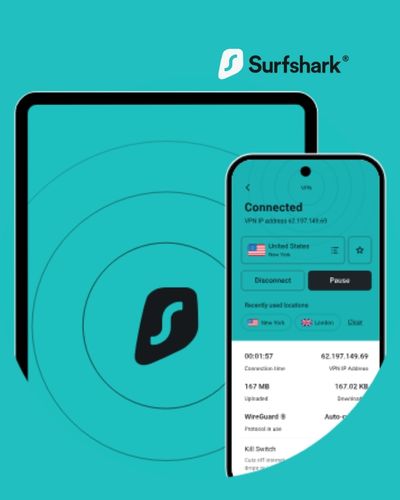
Many people use several devices every day. A smartphone may handle messaging and banking, while a laptop is used for work or studies and a tablet is used for entertainment. Managing privacy separately on every device can become inconvenient.
Surfshark states that one account can protect unlimited simultaneous connections, allowing users to secure multiple devices under the same subscription.
This can be useful for households or individuals who regularly move between devices. Instead of thinking about VPN protection only in terms of a single computer, users can make it part of their overall digital routine.
Compatibility and feature availability can vary by operating system and product. Before subscribing, users should check the current supported platforms and features for the devices they actually use.
Another useful feature is Auto-connect. When enabled, it can automatically connect to the VPN when the device detects an internet connection. This is particularly convenient for people who frequently move between home Wi-Fi, mobile networks, office connections, and public hotspots.
Control Which Apps Use the VPN
Not every online activity necessarily needs to travel through a VPN connection. Some users may want particular apps or websites to connect directly while keeping other traffic protected through the VPN.
Surfshark’s Bypasser feature, also known as split tunneling, allows users to select apps and websites that should be excluded from VPN protection. The feature is available across several supported platforms.
This type of control can be useful when a particular website or service behaves differently when accessed through a VPN. It can also help users manage situations where they need one application to use their normal connection while other online activity remains routed through the VPN.
For example, someone might want their regular browsing to use a VPN while allowing a specific local application to connect directly. Instead of switching the entire VPN connection on and off repeatedly, split tunneling can provide more selective control.
Users should remember that excluded apps or websites do not receive the same VPN protection. The settings should therefore be configured according to the privacy requirements of each activity.
Reduce Everyday Online Distractions
Privacy and security are not the only concerns people face while browsing. Ads, trackers, pop-ups, and potentially malicious websites can also make the online experience more distracting and difficult to manage.
Surfshark’s CleanWeb feature is designed to block ads, trackers, and malicious websites, while its support documentation also describes protection against phishing attempts.
Reducing unnecessary online elements can make websites feel cleaner and can help limit certain forms of unwanted tracking. However, users should still remain cautious when opening unfamiliar websites, downloading files, or entering personal information.
Surfshark also offers additional security products. Its Surfshark One bundle includes VPN protection alongside tools such as Antivirus and Alert, which monitors for certain types of personal-data exposure.
The broader lesson is that digital security involves several layers. A VPN can protect network traffic, while antivirus software can focus on malicious files and programs, and account-security tools can help identify potential data exposure.
Using different tools for different risks can create a more comprehensive approach to personal cybersecurity.

Build a More Private Digital Lifestyle
Improving online privacy is not something that needs to happen all at once. Small improvements can gradually create better digital habits.
Start by reviewing the devices you use most frequently. Make sure operating systems and applications are updated, remove apps you no longer need, and check which applications have access to sensitive permissions. Review important account passwords and enable two-factor authentication wherever it is available.
A VPN can then become another part of that routine. Surfshark provides features designed around privacy, connection protection, and browsing control, including encrypted VPN traffic, Kill Switch protection, split tunneling, and Auto-connect.
The Kill Switch is particularly useful for users who want an additional safeguard if the VPN connection unexpectedly drops. Surfshark explains that the feature cuts internet access when the VPN connection is lost, helping prevent traffic from continuing without VPN protection.
Ultimately, online privacy is about making informed choices about how your information travels across the internet. No single security product can eliminate every digital risk, but combining sensible browsing habits with appropriate privacy tools can make everyday internet use more controlled.
Whether you are working remotely, studying online, travelling, shopping, or simply browsing from home, taking a few minutes to strengthen your digital security can be a worthwhile part of your daily routine.
Take control of your online privacy and explore Surfshark’s security features.