



Digital files have become an essential part of everyday life. Photos, documents, work projects, personal information, applications, and important system files are often stored on computers and mobile devices. Losing this information because of hardware failure, accidental deletion, malware, or system problems can be frustrating and sometimes expensive.
AOMEI offers a range of software solutions designed to help individuals and businesses manage, back up, clone, synchronize, and recover their digital data. Its product range includes backup software, partition management tools, disk cloning utilities, data recovery software, and phone backup solutions.
The good news is that protecting your data does not have to be complicated. With the right habits and suitable software, you can create a more reliable digital environment and reduce the risks associated with unexpected computer problems.
Create a Reliable Backup Routine
One of the simplest ways to protect important files is to create regular backups. Keeping the only copy of an important document or photograph on a computer can be risky because hardware problems or accidental deletion can make files inaccessible.
AOMEI Backupper is designed for Windows backup, synchronization, restoration, and cloning. It can back up systems, disks, partitions, and individual files, making it possible to choose a backup method based on your specific needs.
For personal users, a regular backup routine can protect important photographs, school projects, financial documents, and other personal files. Instead of waiting until something goes wrong, scheduling backups in advance can make data protection part of your normal computer routine.
Businesses can benefit from structured backup strategies as well. Work documents, customer information, databases, and other business-critical files may require more comprehensive protection. AOMEI provides different editions designed for individual users as well as business environments.
The most important step is consistency. A backup that was created months ago may not contain your latest files, so maintaining a regular schedule is essential.
Protect Your Computer Before Problems Occur
Many computer problems appear without warning. A hard drive can fail, an operating system can become corrupted, or an important file can be accidentally deleted. Preparing beforehand is usually easier than trying to recover everything after a major incident.
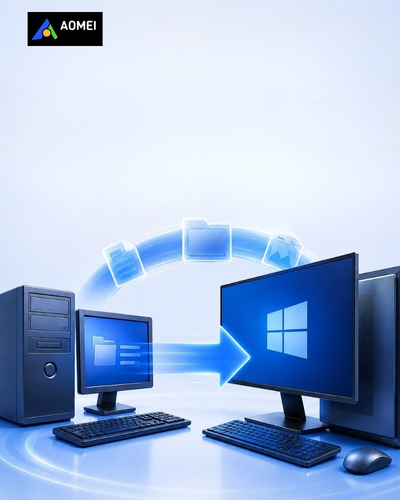
AOMEI’s solutions are designed to help users create backups and recovery plans before such problems occur. Its backup software supports system, disk, partition, and file backup, while cloning features can help with disk upgrades and system migration.
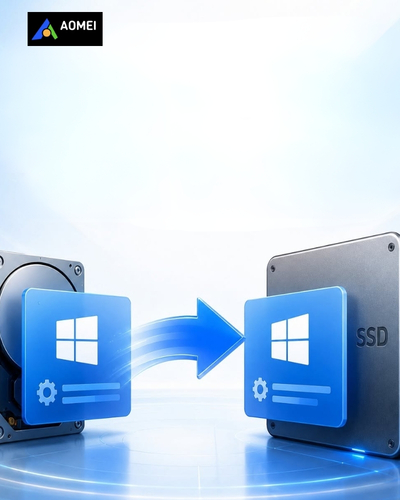
For example, if you are planning to replace an older hard drive with a newer SSD, cloning can make the transition easier. Instead of manually reinstalling everything, users can use appropriate cloning tools to migrate data or systems to another drive.
However, backup and cloning serve different purposes. A backup creates a separate copy that can be restored when necessary, while cloning generally creates a duplicate of a disk or system for migration or replacement.
Understanding this difference helps you choose the right approach for your situation. For long-term data protection, maintaining independent backups is particularly important.
Manage Disk Space More Effectively
Running out of storage space can be frustrating. When the main drive becomes crowded, finding large files and reorganizing storage can feel like a difficult task.
AOMEI Partition Assistant provides tools for managing disks and partitions. Depending on the edition, users can resize, move, merge, and manage partitions, while advanced versions provide additional features such as OS migration and system disk cloning.
Partition management can be useful when storage has not been organized efficiently. For example, you may need to adjust partition sizes when one section of a drive has plenty of unused space while another is running low.
Before making significant changes to disk partitions, it is important to understand what you are changing and maintain a backup of valuable information. Disk management operations should be performed carefully because mistakes can potentially affect stored data.
AOMEI also provides tools for freeing disk space and optimizing storage usage. By regularly reviewing your storage, you can remove unnecessary files and make better use of available capacity.
Upgrade to an SSD Without Starting From Scratch
Upgrading storage is one of the common ways to improve an older computer. SSDs can offer faster performance compared with traditional hard drives, making them an attractive option for users who want a more responsive system.
The challenge is transferring an existing operating system and data to the new drive. Reinstalling everything from scratch can take considerable time, especially when a computer contains many applications and personal files.
AOMEI provides cloning and migration tools designed to simplify this type of transition. AOMEI Partition Assistant Professional, for example, includes features for migrating an operating system to an SSD and cloning a system disk.
AOMEI Cloner is also designed specifically for disk and partition cloning, allowing users to duplicate storage data for migration and other purposes.
Before starting an upgrade, check the capacity of the new drive and make sure it is compatible with your computer. It is also wise to create a separate backup before beginning the migration process.
With proper preparation, upgrading storage can become a much more manageable project.
Recover Important Files When Something Goes Wrong
Accidental deletion is one of the most common ways people lose access to important files. Sometimes files can also become inaccessible because of formatting, system problems, damaged storage devices, or other unexpected events.
AOMEI FastRecovery is designed to help recover lost, deleted, or inaccessible files on Windows systems. The software supports different data-loss scenarios and a broad range of file types.
Data recovery tools can be valuable when something unexpected happens, but prevention remains better than relying entirely on recovery software. Regular backups provide an additional layer of protection and can make recovery much easier.
If you accidentally delete an important file, avoid unnecessary activity on the affected storage device until you have considered your recovery options. Continuing to write new data to the same drive can potentially make recovery more difficult.
For particularly important business or personal data, maintaining multiple copies in different locations is a sensible strategy.
Protect Data Across Different Devices
People today often use several devices, including Windows PCs, smartphones, tablets, and external storage. Important information can therefore be spread across different platforms.
AOMEI FoneBackup is designed to help users back up and transfer iPhone data, including photos, videos, contacts, and other information. The product is positioned as a tool for managing mobile data between devices and computers.
Having a clear system for organizing mobile data can prevent unnecessary storage problems. Instead of allowing thousands of photos and videos to accumulate without a backup, you can periodically transfer important files to another location.
This approach is particularly useful when upgrading to a new phone. Moving important information before replacing an old device can make the transition smoother.
The same principle applies to computers. Important files should not depend on a single device. Maintaining additional copies can provide greater peace of mind if a device becomes damaged or unavailable.
Consider Business-Level Data Protection
Businesses have more complex data protection requirements than individual users. A company may need to protect employee computers, servers, virtual machines, databases, and other critical systems.
AOMEI Cyber Backup is designed as a centralized backup solution for environments including Windows systems, VMware, Hyper-V, and Microsoft SQL Server. It provides centralized management intended to simplify backup operations across business infrastructure.
Centralized backup can make it easier for IT teams to monitor protection tasks rather than managing every device separately. For organizations with multiple systems, this can reduce administrative complexity.
Business continuity is another important consideration. A backup strategy should not only focus on creating copies of data but also on how quickly systems can be restored after an incident.
Companies should therefore consider which information is most important, how frequently it changes, where backups should be stored, and how recovery procedures will be tested.
Make Data Protection Part of Your Digital Routine
Data protection is often something people think about only after losing a file. A better approach is to make it part of your regular digital routine.
AOMEI provides different tools for different needs, from personal Windows backups and disk management to data recovery, cloning, phone transfers, and centralized business protection.
Start by identifying your most important data. Photos, documents, work files, school projects, financial records, and business information should receive priority.
Next, decide how often those files need to be backed up. Frequently changing information may require more regular backups than files that rarely change.
It is also worth reviewing your storage periodically. Remove unnecessary files, organize important documents, and check whether your backup copies are still accessible.
Finally, do not wait for a serious computer problem before testing your recovery process. Knowing how to restore your information can be just as important as creating the backup itself.
AOMEI makes these different aspects of digital protection more accessible by bringing backup, cloning, partition management, and recovery utilities into a broad software portfolio. With sensible planning and regular maintenance, users can reduce the risk of losing valuable information and keep their digital lives more organized.