



Why Video Content Has Become Essential for Digital Creativity
Video content has become an important communication tool for businesses, educators, influencers, and everyday creators. From short social media clips to detailed tutorials, visual storytelling allows people to share ideas in an engaging and memorable format. However, producing attractive videos requires more than recording footage. Creators must consider pacing, transitions, audio quality, subtitles, and overall presentation. Traditional editing software can feel complicated for beginners, especially when projects involve multiple clips and effects. Accessible editing tools help simplify the creative process, allowing users to focus on their message rather than spending excessive time understanding technical features.
CapCut is a video editing platform offering creative tools for mobile devices, desktop computers, and web browsers. Its features include video trimming, transitions, filters, text overlays, audio editing, and AI-assisted capabilities. The platform supports different content formats, making it useful for social media videos, educational projects, promotional campaigns, and personal storytelling. Beginners can experiment with templates, while experienced creators can explore more detailed editing options. By combining practical editing features with automation, the platform helps users develop polished content without requiring extensive production experience or complicated workflows.
Create Eye-Catching Social Media Videos with Less Effort
Social media platforms encourage creators to communicate ideas quickly while maintaining visual interest. Short-form videos often depend on strong opening moments, clear storytelling, and carefully timed transitions. Successful content does not necessarily require expensive cameras or professional studios. Smartphone footage can become engaging when supported by thoughtful editing, suitable music, and readable captions. Creators should consider the intended audience before choosing visual effects or editing styles. Vertical videos are commonly used for Reels, Shorts, and similar formats, while horizontal layouts remain useful for longer presentations. Consistent branding and recognisable visual elements can also help establish a distinctive online identity.
With CapCut, users can create social media content using templates, transitions, animated text, effects, and music. The platform provides tools for adjusting video dimensions, trimming unnecessary footage, and organising clips into a coherent sequence. Templates can offer a convenient starting point for creators who want to experiment with different styles. However, customising text, colours, and pacing helps prevent videos from appearing repetitive. Users can also preview their projects before exporting them for different platforms. These features support a more efficient editing process while leaving room for individual creativity.
Explore AI-Powered Tools That Simplify Video Editing
Artificial intelligence is changing how digital content is produced by automating tasks that previously required considerable manual effort. Video editors can now use AI-assisted features to generate subtitles, remove backgrounds, organise footage, and experiment with new visual ideas. These capabilities are particularly useful when creators work with tight deadlines or produce content frequently. Automatic tools can reduce repetitive work, but they should not replace creative judgement. Generated captions may contain mistakes, and automated edits might overlook important context. Reviewing results carefully helps maintain accuracy, clarity, and consistency throughout the finished video.
CapCut offers AI-powered features such as automatic captions, text-to-speech, background removal, and AI video generation. Depending on the platform and available plan, users may also access tools for automatic reframing and converting scripts into video drafts. These features can help transform initial ideas into editable projects more efficiently. For example, a creator preparing an educational video can experiment with generated narration and captions before refining the final presentation. Certain advanced features may require credits or a paid subscription. Checking availability and usage conditions helps users choose appropriate tools for their creative requirements.

Make Marketing Videos More Professional and Engaging
Businesses increasingly use video to introduce products, explain services, and communicate with potential customers. Promotional videos can demonstrate how an item works, highlight practical benefits, or answer frequently asked questions. Effective marketing content should communicate a clear message rather than relying entirely on dramatic visual effects. A strong opening, organised information, readable text, and an appropriate call to action can improve the viewing experience. Brands should also maintain consistent colours, typography, and tone across campaigns. Creating multiple video variations allows marketing teams to test different messages and identify approaches that resonate with their intended audiences.
CapCut provides editing tools that can support product demonstrations, advertisements, promotional clips, and social media campaigns. Users can combine footage, images, text overlays, transitions, and audio to create content suited to different marketing objectives. AI-assisted editing features may also help teams prepare drafts and experiment with alternative creative approaches. Businesses can develop short promotional videos without building an extensive production setup. However, creators should verify commercial usage permissions for music, templates, and other assets before publishing advertisements. Careful editing and clear messaging remain essential for producing trustworthy marketing content.
Improve Storytelling with Audio, Captions, and Creative Effects
Good video storytelling depends on how different creative elements work together. Visuals establish the setting, audio creates atmosphere, and captions help viewers understand spoken information. Transitions can connect scenes smoothly, but excessive effects may distract from the central message. Music should complement the intended mood without overpowering dialogue. Captions are especially valuable for viewers watching without sound and can improve accessibility when accurately prepared. Creators should also consider pacing, allowing enough time for audiences to absorb important information. Thoughtful combinations of these elements can make even simple footage feel more organised and engaging.
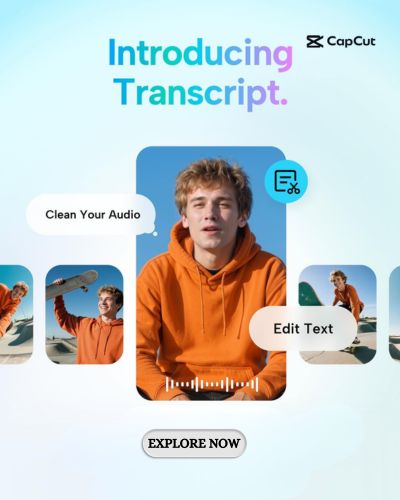
Using CapCut, editors can add subtitles, sound effects, background music, animated text, and visual transitions. The platform supports timeline-based editing, allowing users to arrange clips and adjust individual elements. Automatic caption generation can reduce transcription work, while text-to-speech features provide additional narration options. Users can also experiment with colour adjustments, filters, and other effects to develop a consistent visual style. Before exporting, it is important to review subtitle accuracy, audio levels, and timing. These finishing touches can improve the overall quality of videos intended for education, entertainment, or business communication.
Build a Consistent Content Creation Workflow for Long-Term Growth
Producing videos regularly becomes easier when creators establish a structured workflow. Planning topics, preparing scripts, organising footage, and selecting suitable editing styles can reduce unnecessary delays. Content calendars help maintain consistency, while reusable visual elements support recognisable branding. Creators should also store original footage and completed projects in an organised manner. Before publishing, every video should be reviewed for factual accuracy, audio clarity, visual quality, and platform compatibility. Analysing audience engagement can provide useful feedback for future content. A sustainable approach focuses on continuous improvement rather than expecting every video to achieve immediate popularity.
CapCut brings together editing features, templates, and AI-assisted tools that can support different stages of video production. Its availability across multiple platforms gives creators flexibility when working on personal projects, educational materials, or marketing campaigns. Users can explore available tools, compare free and paid features, and choose workflows suited to their experience. Some advanced capabilities and export options may vary by device, region, or subscription. By combining accessible editing technology with thoughtful planning and consistent creative practice, individuals and businesses can develop videos that communicate effectively, reflect their identity, and support long-term digital goals.