



Digital photography has made it easier than ever to capture important moments. Birthdays, holidays, family gatherings, weddings, creative projects, and everyday adventures can quickly produce hundreds or even thousands of images. The challenge begins when those photos become difficult to organize, find, and share.
A good photo collection should not feel like an endless folder of files. With a thoughtful system, you can arrange images into meaningful albums, add useful information, and create galleries that are easier for other people to explore. jAlbum is designed to help users create photo albums and galleries from their own images, making it a useful option for photographers, families, clubs, and anyone who wants more structure around their digital photos.
Start by Creating a Simple Photo Organization System
Before creating galleries, take some time to organize the original photographs. A simple structure can save considerable effort later, particularly if your collection has grown over several years.
One practical approach is to organize photos by year and then by event or location. For example, a folder for a particular year could contain separate collections for holidays, family celebrations, and personal projects.
jAlbum can turn organized image collections into albums and galleries, so having a clear structure beforehand can make the creation process more efficient.
Avoid creating too many unnecessary folders. If every small event receives its own complicated structure, finding an image later can become just as difficult as having no organization at all.
File names can also help. Instead of keeping generic camera-generated names, consider using meaningful descriptions where appropriate. Dates, locations, or event names can make large collections easier to understand.
It is also important to keep an original backup of your photographs. An album-building tool should complement your backup strategy rather than replace it.
A simple organization system gives your photographs a clear foundation. Once your images are sorted, creating attractive galleries becomes much easier.
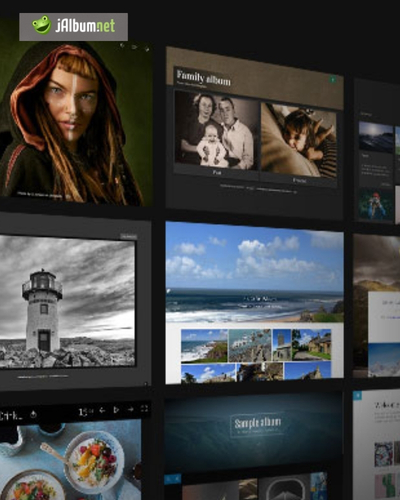
Turn Collections Into Meaningful Albums
A digital gallery becomes more useful when it has a clear purpose. Instead of putting every photograph you have ever taken into one enormous album, divide your collection into smaller stories.
A holiday album could focus on one destination. A wedding gallery might be organized around different parts of the day. A photographer could create separate portfolios for portraits, landscapes, events, or creative work.
jAlbum allows users to create photo albums from their own images, giving them flexibility in how they present different collections.
When selecting photographs, quality is usually more important than quantity. If you have 500 images from a weekend trip, you may not need every nearly identical photograph in the final gallery.
Choose images that represent different moments, perspectives, and details. A balanced selection makes the album more interesting to explore.
You can also think about the order of the photographs. A good sequence can tell a story, starting with an introduction, moving through the main experience, and finishing with memorable final images.
This approach works especially well for travel and event photography. Rather than simply displaying photographs in the order they were taken, arrange them so that the viewer experiences the story naturally.
A well-curated album can turn a large collection of individual images into something that feels intentional and personal.
Make Galleries Easy to Navigate
A beautiful photo gallery can still be frustrating if visitors cannot easily find their way around it. Navigation should therefore be considered part of the overall design.
Think about how many albums you want visitors to see immediately. If the first page contains dozens of unrelated categories, the gallery may feel overwhelming.
jAlbum provides tools for creating and presenting photo collections, allowing users to structure their galleries according to the type and size of their photography collection.
Use clear album names that explain what visitors will find inside. A title such as “Summer Holiday 2026” provides much more context than something vague like “Photos.”
If your collection is particularly large, consider grouping related albums into broader categories. A photographer might separate personal work from professional portfolios, while a family could organize galleries by year or occasion.
Consistency also matters. Similar naming conventions and album structures make the entire collection feel easier to understand.
Before sharing the finished gallery, explore it as if you were a first-time visitor. Ask yourself whether the next album is obvious, whether images are easy to open, and whether returning to the main collection feels straightforward.
Good navigation allows the photographs to remain the focus instead of making visitors think about how the website works.
Add Context to Your Photographs
Photos often become more meaningful when there is some information attached to them. Years after an event, you may remember where a photograph was taken but forget the exact date, occasion, or people involved.
Adding captions can help preserve that context. A short description can explain the location, event, or story behind a particular image without overwhelming the viewer.
jAlbum can be used to create galleries where photographs are presented as organized collections, making it easier to combine visual memories with useful information.
For travel albums, location details can be especially valuable. Instead of simply showing a landscape, you can identify the destination and explain why the photograph was memorable.
Family albums can benefit from names and dates, particularly when they are intended to be enjoyed years later by relatives who were not present at the original event.
Photographers may prefer a different approach. A portfolio can use concise descriptions to explain the concept behind a project, the location, or the type of photography involved.
Do not add information simply for the sake of adding it. Captions work best when they provide context that the photograph itself cannot communicate.
A few thoughtful words can transform a collection from a series of images into a record of experiences.
Think About Privacy Before Sharing
Sharing photographs online is convenient, but not every image should necessarily be public. Personal and family photographs may contain people, locations, or other information that you do not want widely accessible.
Before publishing a gallery, review the images carefully. Consider whether everyone pictured is comfortable with the photographs being shared.
jAlbum gives users a way to create and present photo galleries, but the person managing the gallery remains responsible for deciding what should be shared and with whom.
Travel photographs can also reveal useful location information. Images taken around a home, workplace, school, or other private place should be considered carefully before being published publicly.
If photographs contain children, additional care is appropriate. Parents and guardians should think carefully about where and how such images are shared.
It is also worth reviewing older galleries from time to time. A gallery that was appropriate to share several years ago may no longer reflect your current preferences.
Keep private originals securely backed up and consider creating separate collections for public and personal use.
A little attention to privacy can make digital photo sharing much more comfortable, particularly when galleries include personal memories.
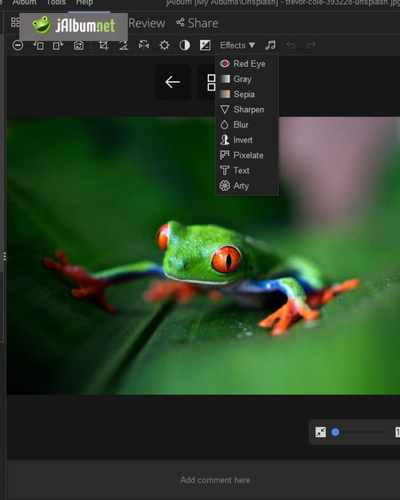
Build a Photo Collection You Can Enjoy for Years
The real value of a digital photo collection comes from being able to return to it easily. A gallery should not only look good immediately after creation; it should remain useful as your collection grows.
jAlbum can be part of a longer-term approach to managing and presenting photographs, whether you are creating family memories, travel albums, professional portfolios, or collections for a community group.
Set aside some time periodically to review new photographs. Delete obvious duplicates, select your favourites, and place important images into appropriate albums.
You do not need to organize your entire archive in one weekend. Large collections can be handled gradually, starting with the photographs that matter most.
It can also be useful to maintain consistent album naming. If every year or event follows a similar structure, finding older memories becomes much easier.
Backups should remain part of your long-term strategy. Keep important photographs in more than one safe location so that a damaged device does not result in permanent loss.
Over time, your gallery can become more than a storage system. It can become a personal visual archive that documents holidays, milestones, creative work, friendships, and everyday moments.
The best photo collection is one that you can actually enjoy revisiting.
Digital photography gives us the opportunity to preserve enormous numbers of memories, but simply storing thousands of files does not automatically make them easy to enjoy. Organization and presentation are what turn a collection into something meaningful.
jAlbum offers a way to create structured photo albums and galleries from personal image collections, making it suitable for a wide variety of uses, from family memories and travel photography to professional portfolios.
Start with a simple organization system and divide photographs into collections that have a clear purpose. Select images carefully rather than adding every photograph you have taken.
Pay attention to navigation, album names, captions, and privacy before sharing your work. These details can make the difference between a gallery that feels confusing and one that visitors genuinely enjoy exploring.
Most importantly, remember that your photo archive is a record of experiences. It should be easy to maintain and enjoyable to revisit.
With a consistent system and thoughtful presentation, even a large digital collection can become an accessible visual story. Instead of leaving important photographs hidden inside forgotten folders, you can give them structure and create albums that remain valuable long after the original moments have passed.