



Turn a Wired CarPlay Experience Into Wireless Convenience
Modern vehicles increasingly depend on digital connectivity for navigation, music, calls, and other everyday functions. Yet even when a car supports Apple CarPlay or Android Auto, having to connect a phone with a cable every time you start driving can feel inconvenient. A wireless adapter can provide a simpler alternative without requiring major changes to the vehicle.
Ottocast focuses on automotive technology designed to improve in-car connectivity. Its current collection includes wireless CarPlay and Android Auto adapters, multimedia devices, AI boxes, portable displays, and other car accessories.
For compatible vehicles, wireless adapters can eliminate the need to physically connect a smartphone each time. Ottocast’s wireless range includes products such as the Mini Cube 3.0, Mini NOVA, Mini Pico, Mini Wireless Adapter, and U2AIR Pro.
This type of upgrade can be especially useful for drivers who use navigation and music regularly. Once the system is configured, the phone can connect automatically when the vehicle starts, depending on the adapter and vehicle compatibility.
The result is a cleaner dashboard and a more convenient everyday driving experience.
Check Compatibility Before Choosing an Adapter
The most important step before buying any car connectivity accessory is checking whether it is compatible with your vehicle.
Not every car supports the same type of CarPlay or Android Auto connection. Ottocast’s compatibility guidance notes that product support varies, and some adapters require factory wired CarPlay. For example, the Play2Video Ultra requires factory wired Apple CarPlay and is designed for compatible vehicles from 2016 onward.
This is why choosing an adapter based only on its features or price can lead to disappointment. Your vehicle’s existing infotainment system needs to meet the requirements of the specific product.
Start by checking whether your car currently supports wired Apple CarPlay or wired Android Auto. Then verify whether your smartphone is supported and whether the desired Ottocast product works with that particular setup.
It is also worth checking the available USB ports in your vehicle. Different vehicles may use different USB connections, and the location of the port can affect how neatly the adapter fits into the cabin.
Taking a few minutes to confirm compatibility before ordering can save considerable time later.
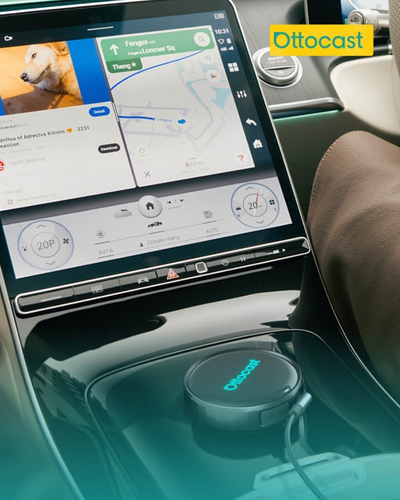
Enjoy a Cleaner Dashboard Without Constant Cables
One of the simplest benefits of wireless connectivity is reducing cable clutter.
When your phone needs to remain connected to the car with a cable, the wire can move around the center console or become tangled with charging cables and other accessories. A wireless adapter can reduce this clutter while allowing compatible CarPlay or Android Auto functionality to remain available.
Ottocast highlights hands-free convenience, a cleaner interior, flexible phone placement, and easier access to navigation, music, and calls as benefits of its wireless products.
This can make a noticeable difference for drivers who spend a lot of time on the road. You can keep your phone in a convenient location rather than attaching it directly to the infotainment system with a cable.
It is also useful when multiple people use the same vehicle. Depending on the product and setup, wireless connectivity can make switching between compatible phones more convenient.
However, wireless does not necessarily mean that your phone never needs charging. Drivers who use navigation and media extensively may still want a separate charging solution.
The ideal setup is therefore one that combines wireless connectivity with practical phone charging when necessary.
Go Beyond Basic CarPlay and Android Auto
Wireless connectivity is only one part of today’s in-car technology.
Some Ottocast products are designed to provide additional entertainment and multimedia functionality. The Play2Video Ultra, for example, combines wireless CarPlay and Android Auto with pre-installed streaming applications and an app hub, while also supporting over-the-air firmware updates.
For drivers who want more than navigation and music, these additional capabilities can make the vehicle’s existing display more versatile.
Another example is the Car TV Mate Max, which combines wireless CarPlay and Android Auto with HDMI multimedia functionality. It is designed to support compatible HDMI devices and phone projection in addition to wireless connectivity.
This can be particularly interesting for passengers during longer journeys. Entertainment options can make time spent in the car more enjoyable, although drivers should always prioritize safe driving and use only appropriate features while the vehicle is stationary.
When comparing multimedia products, consider which features you will genuinely use. A basic wireless adapter may be the better choice if your main priorities are navigation, calls, and music.
More advanced products make greater sense for users who want expanded entertainment or additional functionality.
Consider AI Boxes for a More Advanced Upgrade
Drivers looking for a more substantial technology upgrade can explore AI boxes rather than simple wireless adapters.
Ottocast’s current range includes products such as the OttoAibox P3 Pro, OttoAibox P3, OttoAibox E2, and the BMW-focused OttoAibox i3.
The P3 Pro is positioned as a more advanced in-car system, combining wireless CarPlay and Android Auto with an Android-based operating system, AI voice functionality, CloudSIM support, HDMI output, and over-the-air updates.
This type of device is aimed at drivers who want their existing vehicle display to provide more functionality without replacing the entire factory infotainment system.
However, an AI box is not automatically the right choice for everyone. If you only need wireless CarPlay, purchasing a more advanced device could mean paying for capabilities you rarely use.
Before choosing one, think about how you use your car’s technology. If your everyday needs are limited to navigation, music, and calls, a compact adapter may be enough.
If you want additional applications, entertainment options, or a more comprehensive digital experience, an AI box may be worth considering.
The best upgrade is the one that solves an actual problem in your current setup.
Make Long Drives More Comfortable
Technology can make long journeys easier, particularly when passengers need entertainment or drivers need convenient access to navigation and communication tools.
Ottocast offers products that extend beyond simple wireless adapters. Its current range includes portable car display screens, multimedia adapters, AI boxes, and accessories.
A portable display can be useful when a vehicle’s original infotainment screen is limited or when additional functionality is required. Meanwhile, multimedia adapters can expand entertainment possibilities while maintaining compatibility with supported vehicle systems.
For families, these options can be particularly useful during road trips. Passengers can have access to entertainment while the driver remains focused on the road.
Drivers should always configure entertainment features before starting a journey and avoid interacting with distracting applications while driving.
The goal of automotive technology should be to make driving more convenient without creating additional distractions.
Good organization also matters. Keeping cables, adapters, and accessories neatly arranged can prevent them from interfering with the driver’s controls or visibility.
A thoughtful setup can make the entire cabin feel more organized.
Keep Firmware and Devices Updated
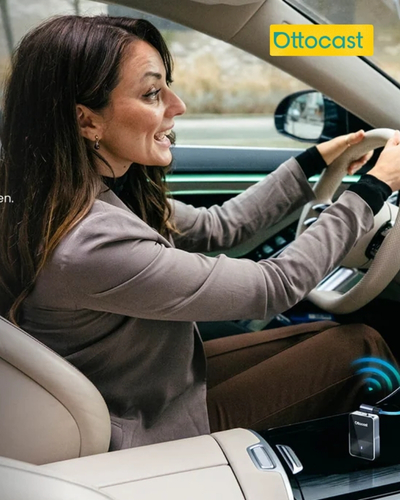
Like other connected electronics, automotive adapters and AI boxes can benefit from regular software updates.
Ottocast highlights over-the-air firmware updates on several products, allowing compatible devices to receive updates through the company’s software ecosystem without requiring manual firmware installation.
Keeping a device updated can be important for maintaining compatibility and resolving software-related issues.
Before installing an update, follow the manufacturer’s instructions carefully. Avoid disconnecting the device during an update process unless the instructions specifically allow it.
It is also a good idea to keep track of which adapter is installed in your vehicle and understand its basic settings. This can make troubleshooting much easier if connectivity problems occur.
If wireless connection issues develop, checking the phone’s Bluetooth and Wi-Fi settings, restarting the adapter, and verifying that the vehicle’s original CarPlay or Android Auto connection is functioning correctly can be useful first steps.
For more complicated problems, manufacturer support is the better option.
Ottocast currently states that it provides dedicated technical support, alongside a one-year warranty and a 30-day return policy for purchases.
Choose the Right Ottocast Product for Your Driving Style
The best automotive technology upgrade depends on what you want to improve.
If your main goal is simply eliminating cables, Ottocast’s wireless CarPlay and Android Auto adapters offer a straightforward approach. The current range includes compact options such as the Mini Wireless Adapter, Mini Cube 3.0, Mini NOVA, Mini Pico, and U2AIR Pro.
If entertainment is equally important, products such as the Play2Video Ultra or Car TV Mate Max offer broader multimedia capabilities.
For users seeking a more advanced connected-car experience, the OttoAibox range provides additional functionality beyond basic wireless projection.
Before making a decision, check your vehicle’s existing system, smartphone compatibility, required connection type, available ports, and the features you genuinely expect to use.
Do not assume that the most expensive product is automatically the best choice. A compact adapter may provide everything you need, while a more advanced device could be worthwhile for someone who wants expanded multimedia and smart features.
The key is matching the technology to your driving habits.
Ottocast’s current lineup gives drivers several ways to modernize their in-car experience without necessarily replacing the factory infotainment system.
With the right product and a compatible vehicle, everyday tasks such as navigation, music, calls, and digital entertainment can become more convenient.
A smarter car does not necessarily require a completely new car. Sometimes, the right connectivity upgrade is enough to make the technology you already have work better for your lifestyle.